

Rogue Oracle
Rogue Oracle is an AI assistant built into Rogue Arena. Open it from a running lab and it already knows the lab: the scenario, which machines are up, and where you are in the curriculum. Ask it a question, or ask it to do something. It can run commands on your VMs, take screenshots, click and type on a desktop, and write code, copy it to a VM, and run it there.
Opening Oracle
Section titled “Opening Oracle”Your deployment must be running. On the dashboard, expand Drive this lab with AI agents above your lab and click Launch Rogue Oracle. The same button sits at the top of the All Scenario VMs window.
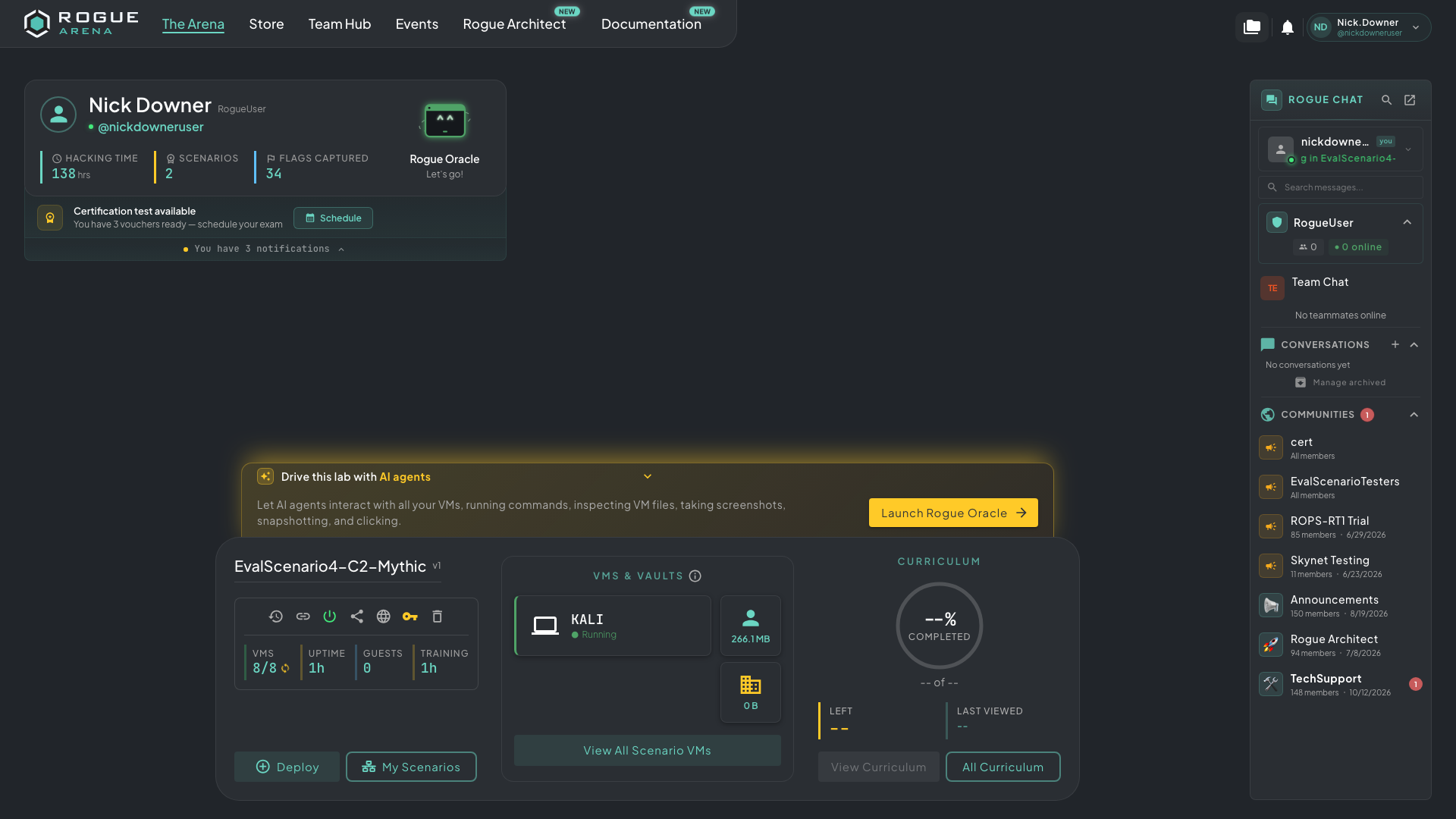 Expand Drive this lab with AI agents and click Launch Rogue Oracle.
You can also click the Rogue Oracle card next to your name on the dashboard.
In the Oracle window, click Need help in your lab? Click here! to start a chat tied to that lab. If you type into a blank chat instead, Oracle asks you to pick a target first: choose your deployment.
The first time, you’re asked to read and accept Oracle’s terms. Oracle is in beta, and the terms explain how your conversations are handled (see Privacy below).
What to Ask
Section titled “What to Ask”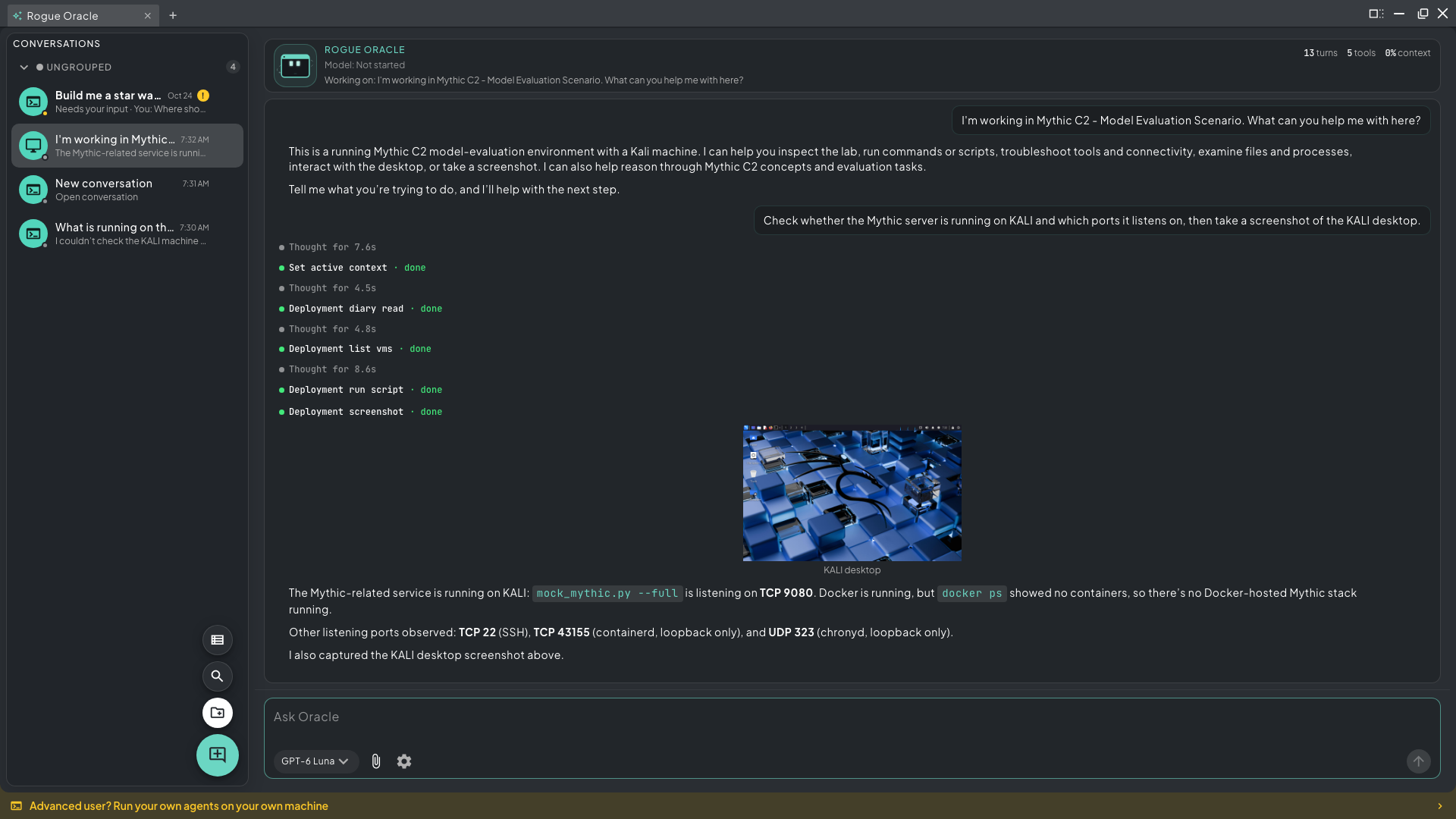 Oracle lists the lab’s VMs, runs a script on KALI, takes a screenshot, and reports what it found.
Questions about the lab. “What machines are in this lab and which ones can I reach from Kali?” Oracle reads the lab’s state and answers from it, not from a guess.
Help with the curriculum. Oracle can read your course the way you see it: the overview, your progress, open chapters, and the hint for the step you’re on. It explains concepts and points you in the right direction. It never gives you an unlock key or answers a question for you.
Work on your VMs. “Run an nmap scan of the 10.10.10.0/24 range from Kali and summarize the open ports.” Oracle runs the command and reports back.
Build and run something. “Write a Python script that parses this log for failed logins, put it on the web server, and run it.” Oracle writes the code in its own workspace, copies it to the VM, checks it arrived, and runs it.
What Oracle Can Do in a Lab
Section titled “What Oracle Can Do in a Lab”| Area | What it can do |
|---|---|
| Curriculum | Read the course overview and open chapters, show the current hint, submit a key you found |
| Inspect | List VMs, browse folders, read and search files, list processes |
| Run | Run bash, PowerShell, sh, or Python 3 scripts on a VM (up to 10 minutes each) |
| Files | Copy files from its workspace to a VM and back (up to 256 MiB), and between VMs |
| Screen | Take screenshots of up to 10 VMs at once, click, type, press keys, and drag |
| Power and snapshots | Start and stop VMs, take, revert, and delete snapshots, revert the whole lab |
When it finishes working in a desktop, Oracle usually ends with a screenshot that shows the result.
What Oracle Won’t Do
Section titled “What Oracle Won’t Do”- It only sees what you can see. Hidden VMs and locked chapters stay hidden from Oracle too.
- It never reveals or works out an unlock key, and never completes a chapter or answers a question for you.
- It works only for the lab’s owner. People you’ve shared the lab with, and guest link visitors, can’t use it.
- It isn’t available in certification tests, or while the lab is stopped.
Building Scenarios with Oracle
Section titled “Building Scenarios with Oracle”Oracle also helps you build labs. In Rogue Architect, click Build with Oracle on the Blueprints page to start a new lab, or open the AI Building Activity card that floats over the top-left of a canvas. Describe what you want; Oracle can lay out the canvas, place machines, and attach plugins. Building happens in Architect. A chat opened from a running lab stays focused on that lab. For the full walkthrough, see Building with Oracle.
Oracle uses AI credits, charged by how much the model reads and writes. Credits come from the AI credit included with Lab plans each month, wallet top-ups, and Store rewards. If you’re on a team, a chip in the message box shows which wallet pays (Team wallet or Personal wallet), and you can change the order.
Long jobs pause on their own and ask before carrying on. Reply “continue” to keep going.
Your conversations are saved under Conversations and are private to you. You can have one active Oracle chat per lab.
Privacy
Section titled “Privacy”Oracle is in beta, and it can make mistakes, so check its answers and anything it builds. Your messages go to outside AI providers only to write Oracle’s replies, and those providers can’t train on them. During the beta, Rogue Labs may use your Oracle conversations, including the lab data Oracle reads, to improve Oracle. Don’t share passwords, keys, or other people’s personal information with it.