

Activity Feed
The Activity Feed is a chronological timeline of everything that happens across your team, such as completions, deployments, and certifications.
Required role: Org Manager
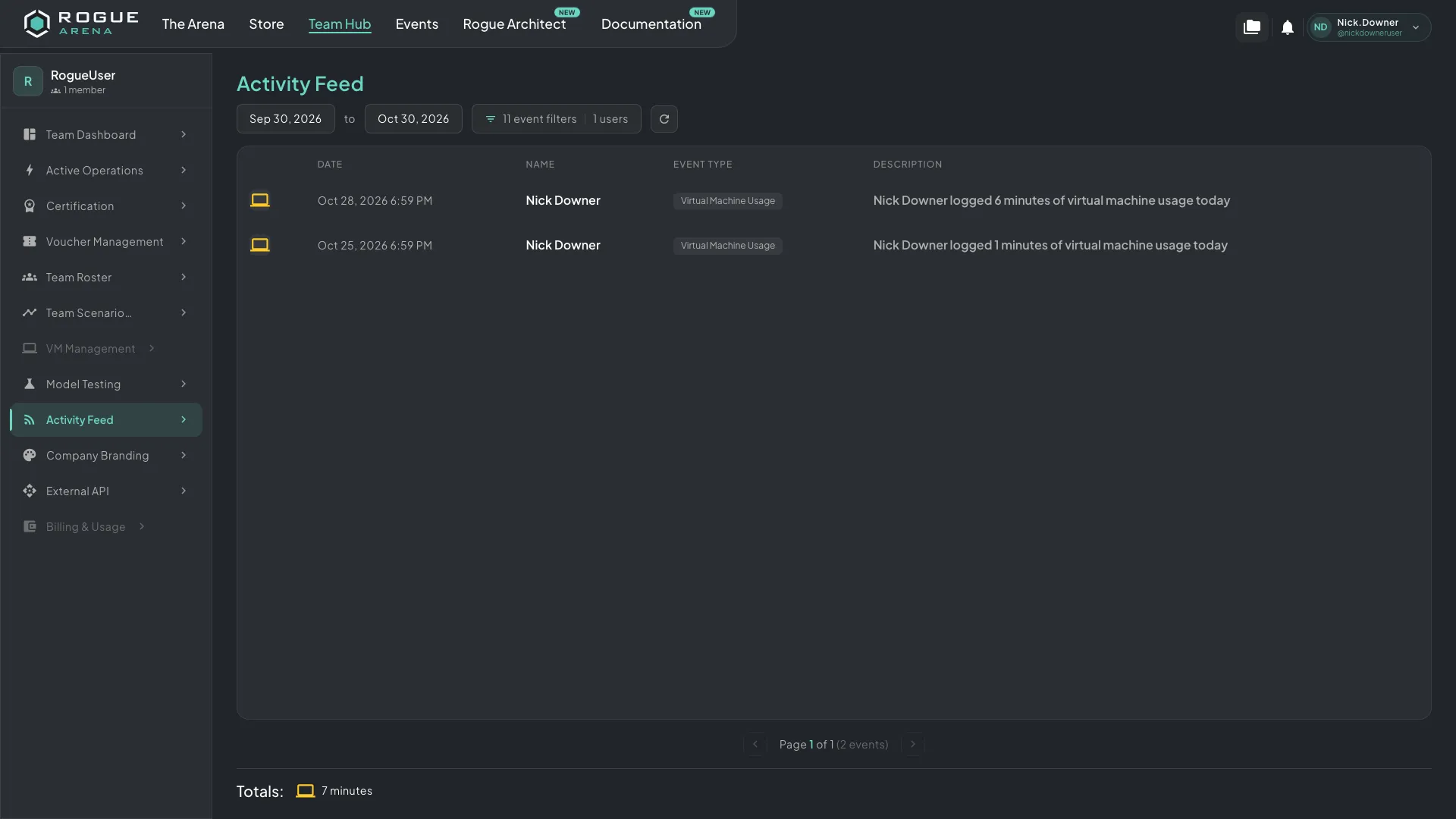 The Activity Feed lists team events in order. You can filter it by date range, event type, or team member.
Event Types
Section titled “Event Types”The feed records every significant action a team member can take on the platform. Open Filter Options to see the full list of event types and choose which categories to show:
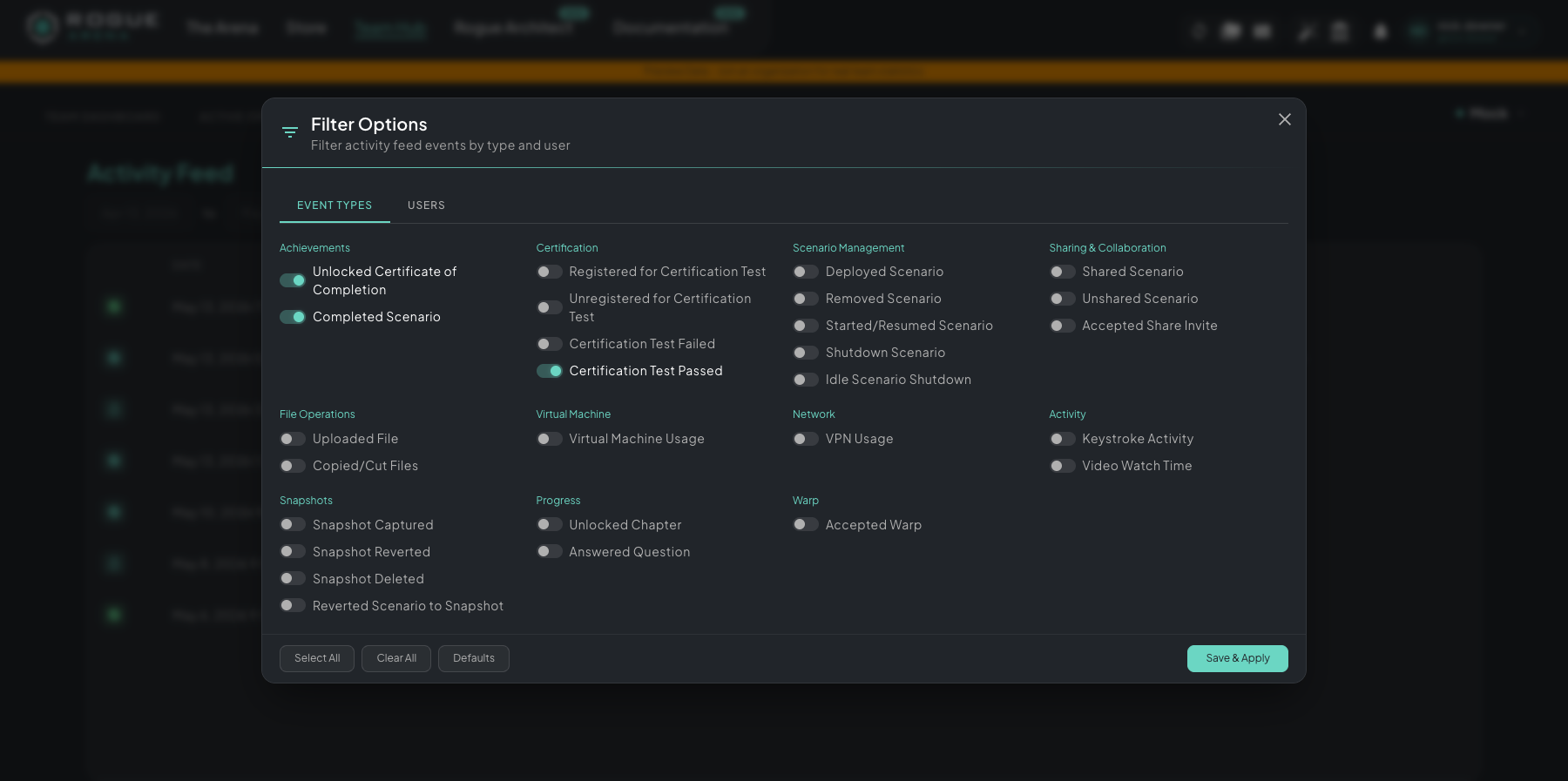 Filter Options lists every event the feed tracks, grouped by category. Turn event types on or off on the Event Types tab, or switch to Users to limit the feed to specific team members.
The categories and their events:
- Achievements: unlocked certificate of completion, completed scenario
- Certification: registered or unregistered for a cert test, passed, failed
- Scenario Management: deployed, removed, started/resumed, manual shutdown, idle shutdown
- Sharing & Collaboration: shared scenario, unshared scenario, accepted share invite
- Guest Links: created guest link, ended guest link, guest joined, guest left
- File Operations: uploaded file, copied/cut files, downloaded file
- Virtual Machine: VM usage events, changed VM power, ran script on VM
- Network: VPN usage
- Activity: keystroke activity, video watch time
- Snapshots: captured, reverted, deleted, reverted scenario to snapshot
- Progress: unlocked chapter, answered question, purchased hint, fast-tracked chapter
- Warp: accepted warp
- Model Evals: configuration changes, publishing, job activity, run results, token changes, security alerts
Each event shows the team member involved, a description of what happened, and a timestamp.
Filtering
Section titled “Filtering”You can filter by event type and by user separately, and the Filter Options modal has a tab for each. Combine them to narrow the feed as far as you need, for example “every certification event for Alice in the last quarter.” To include people who joined through your guest links, click Add guest users on the Users tab and pick guests by guest or link name. Use Select All or Clear All to change a whole tab at once, Defaults to reset, and Save & Apply to apply your selection.
Date Range
Section titled “Date Range”Choose from these ranges:
- Last 3 months
- Last 6 months
- Last year
- Custom date range